
Mobile T Card now supports "PayPay"
2019.02.25
Press Releases
T Point Japan Co., Ltd.
-MobaT will also be displayed on the PayPay barcode screen!-
T Point Japan Co., Ltd. (Head office: Shibuya-ku, Tokyo; President and COO: Kitamura Kazuhiko; hereinafter referred to as "T Point Japan") is pleased to announce that from February 25, 2019, Mobile T Card (hereinafter referred to as "MobaT") will be supported on PayPay, a smartphone payment service provided by PayPay Corporation that allows payments using barcodes and QR codes.
This initiative is based on the mobile shift strategy of "proposing a more convenient and comfortable lifestyle by making all T Card functions and services compatible with smartphones," and will provide a highly convenient smartphone service to 68.71 million T members by linking "MobaT" with "PayPay," a smartphone payment service from PayPay Corporation, a joint venture between T Point Alliance companies SoftBank Corp. and Yahoo Japan Corporation.
Customers who use T Cards can register their T Card number with "PayPay" and use the "PayPay app" to receive "PayPay Bonuses" when making payments with "PayPay," and can also earn and use T Points by presenting their mobile T Card. In addition, customers who do not have a T Card can apply for a MobaT card on the T Site [T Points/T Card] and use it with PayPay without a card.
T Point Japan will continue to offer T Members a more convenient and comfortable lifestyle by placing smartphones at the center of communication and expanding its services and functions in line with the shift to cashless and walletless transactions.
[PayPay Mobile T Card Overview]
■ Service start date: Monday, February 25, 2019
■How to use:
(1) After downloading the "T Point" app, log in with your Yahoo! JAPAN ID and register your T Card number.
(2) After downloading the “PayPay” app, link it to your Yahoo! JAPAN ID.
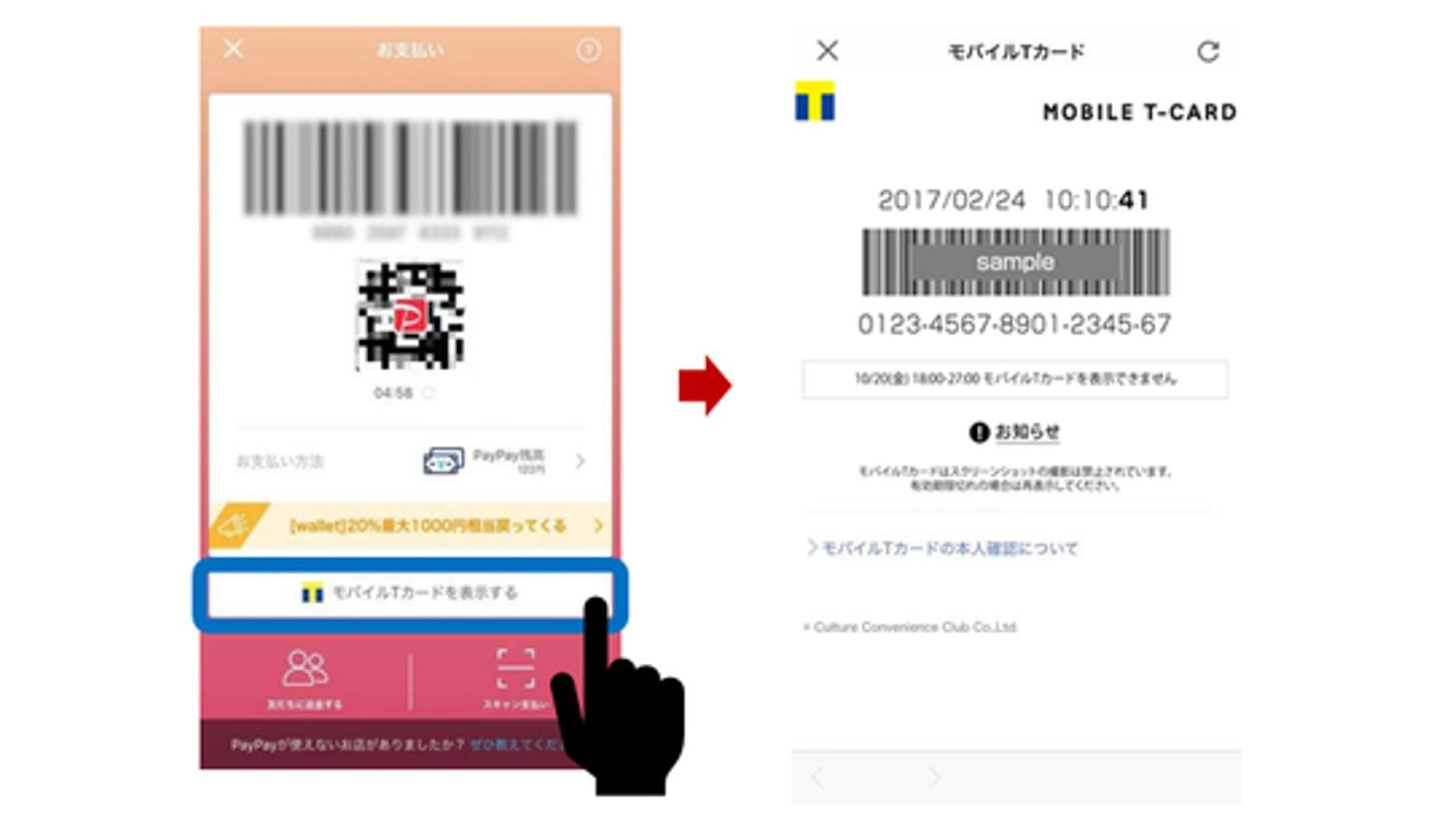
(3) From the "Pay" or "Manage Payment Methods" screen in the "PayPay" app, tap "View Mobile T Card."
(4) Tap "Enable" for MobaT display, display MobaT at checkout, and earn and use T points.
(5) Close the MobaT screen, display the PayPay QR code/barcode, and make your payment.
[Service usage example]
■Stores where MobaT and "PayPay" can be used:
"Family Mart," "Edion," "Welcia," etc.
*When paying with MobaT, no "PayPay Bonus" will be awarded.
*The number of affiliated stores where you can use PayPay is gradually increasing.
You can check available stores from the app.
■About "PayPay"
This is a smartphone payment service that allows you to choose between two payment methods: payment with electronic money ("PayPay balance" or "Yahoo! Money") pre-charged from your bank account, or payment by credit card.
We offer two payment methods: "User Scan (Scan Payment)," in which the user scans a QR code presented by the business using the app, and "Store Scan (Code Payment)," in which the business scans a barcode or QR code presented by the user at a cash register or other location.
・Homepage:https://paypay.ne.jp/
・Download URL:
Materials related to this matter
Mobile T Card now supports "PayPay"
Inquiries regarding this matter
T-Point Japan Co., Ltd. Public Relations Officer
TEL: 03-6800-4464
If you resonate with the content of this site, please feel free to share it.


